
Aim and fire
You use both thumbs: one pulls the band, the other aims it up or down.
- Touch the office where you want the band to catch. A faint ring shows the spot.
- Pull back with the same finger. The band goes the opposite way from your pull. Pull down to send it up the screen. Pull left to send it right.
- Aim up or down with your other thumb. While you hold the band, an UP/DOWN track shows on the side of the screen away from it. Slide your thumb along it to raise or lower the shot. Each new band starts level.
- Let go to fire.
A longer pull gives more power. A very short pull fires nothing. The game tells you to pull farther.
Pull too far and the band snaps. It turns hot red just before it breaks. A snapped band does not fire, and it counts against you in your review.
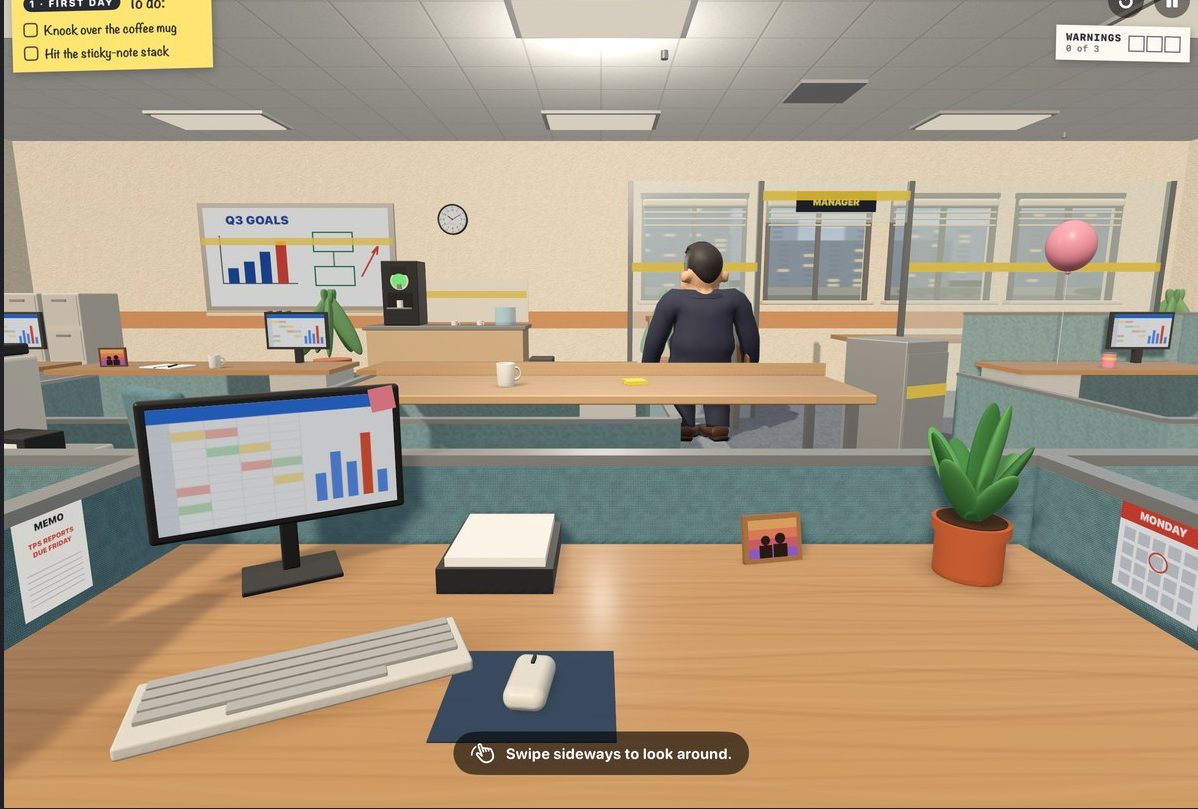
Look around: swipe sideways. If your finger moves sideways first, the game turns your view instead of pulling the band.
Taking a break
Tap the pause button in the top-right corner. The manager thinks you're in a meeting. From the break menu you can go Back to Work, Start Over, or Clock Out.
The break menu also has Target markers. Turn them on to show an arrow over each thing a task wants you to hit.
Tasks and rules
Each assignment gives you a short list on a sticky note.
Tasks: things to do
- Knock something over, hit it, make it wobble, or move it.
- Set off a chain reaction: knock one thing into the next, and the next.
- Some tasks are bonus tasks. You don't need them to finish, but they help your review.
Finish every required task and the assignment ends with your performance review.
Rules: things not to do
- Don't hit something that is protected, like a coworker's laptop.
- Don't snap a band.
- Don't get more than a set number of warnings.
- Finish within a set number of shots.
Breaking a rule does not stop the assignment. It stays broken, and it lowers your review.
Some things in the room do more than fall over. Try the balloon, the coffee machine, the printer, the wall clock and the water cooler.
The manager
The manager looks up from their work from time to time. Watch the sign above them:
| Sign | What it means |
|---|---|
| No sign | Working. You are safe. |
| Amber ! | Turning around. Finish your shot, fast. |
| Red ! | Watching. Hold fire. |
From the Manager's Office up, someone more senior keeps watch: Paul the director in the Manager's Office, and Jackie the VP in the Director's Office. The signs and the warnings work the same way.
Warnings
You get a warning when you:
- hit a person, or
- fire while the manager is watching.
The first warning is a reminder. The second is your final warning. The third gets you fired.
Blame Dave
Dave from Accounting walks the aisle. If you hit the manager while Dave is close to them, Dave gets the blame. Dave puts his hands up. You get no warning, and you get a bonus point on your review.
This works once per assignment. After that, a hit on the manager is a normal warning.
Your review
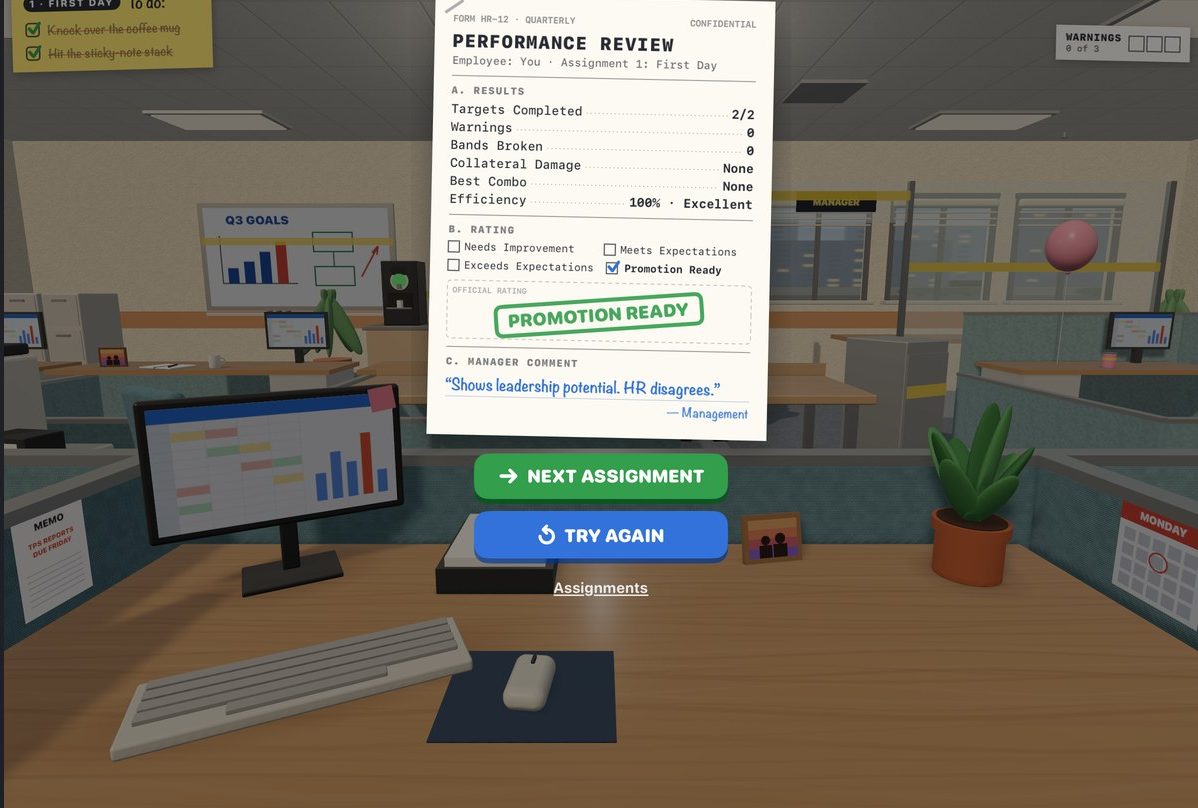
Every assignment ends with a performance review. It lists:
| Targets completed | Tasks you finished. |
| Warnings | How many times you got caught. |
| Bands broken | How many bands snapped. |
| Collateral damage | None, Acceptable or Excessive. Things you were told to protect count double. |
| Best combo | Your longest chain reaction. |
| Efficiency | Tasks finished for each shot fired. |
Then management gives you a rating: Needs Improvement, Meets Expectations, Exceeds Expectations or Promotion Ready.
What helps
- Few shots for the tasks you finish.
- No warnings.
- No snapped bands.
- Every rule kept.
- Every bonus task finished.
- Letting Dave take the blame.
What hurts
- Two or more warnings.
- Two or more snapped bands.
- Excessive collateral damage.
- Each rule you break.
Promotions
There are eight offices, from the Cubicle to the CEO's corner office. Each has ten assignments. They open one at a time, and the tenth is that office's own review.
To get promoted, you meet a short list of goals. For example, to leave the Cubicle you must:
- finish all ten assignments,
- get Meets Expectations or better on five of them, and
- finish two with no warnings.
Your assignment list shows the goals and how close you are. Each assignment counts once, from your best result, so you can replay an assignment to earn a goal you missed. Each office also has optional mastery goals. They never stop a promotion.
When you move up, your old offices stay open.
Special assignments
Some days a calendar invite arrives. You get sent to the Conference Room, the Break Room or the Supply Closet. The rules are the same as a normal assignment.
Special assignments don't count toward a promotion. When you finish, you go straight back to where you were. Tap Not now to put an invite off for a few assignments.
Bands
You start with the Standard Issue band. You get new bands as your job takes you to new places. Each one is good at some things and bad at others.
When you have more than one band, a band tray shows in the bottom-left corner. Tap it to switch. Each band shows four ratings:
| PWR | Power. How hard it hits. |
| STR | Stretch. How far it pulls, and how far it reaches. |
| AIM | Accuracy. How close it goes to where you point. |
| SNAP | How easily it breaks. Fewer dots is safer. |
Each assignment is made with one band in mind. If you own that band and you are not holding it, the game suggests it. One tap switches. You can ignore it.
The Supply Catalog on the title screen sells the Titanium Wrapped band early. You can also earn it by climbing. It never snaps.
Getting fired
Three warnings and the pink slip lands: YOU'RE FIRED. You have two choices:
- Request HR review. Watch a short video ad, and HR reviews your case. If HR agrees, you go back to the same assignment. Your warnings are cleared. Everything you knocked over stays where it fell, and your finished tasks stay finished. If no ad can play, HR cannot be reached: try again, or accept the termination.
- Accept termination. The assignment ends. You can play it again.
HR remembers. After one reinstatement, the best rating you can get on that assignment is Exceeds Expectations. After two or more, it is Meets Expectations. Play the assignment again later to earn any rating.
Memos
Between assignments, a memo from the company sometimes arrives. Facilities, Procurement, IT and HR notice what you have been doing, and they write to you about it. Read it, tap to close it, and get back to work. Memos never change the game.
iPhone and iPad
Corporate Confusion needs iOS 18 or later.
- iPhone: plays upright. Your desk is at the bottom of the screen, where your thumbs are. You feel the band stretch and snap through haptics.
- iPad: plays any way up. It is the same office, with a wider view.
Questions? See Support.